
Formulas & Labels
The label always matches the formula.
Because it is the same record. Write the formula, and the label and info sheet come out of it — nothing is copied out by hand, so nothing can be copied out wrong.
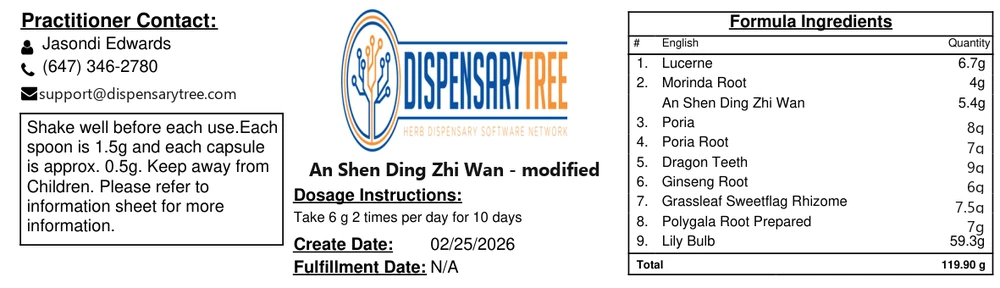
The label a formula produces — ingredients, quantities, dosage and total, straight from the record.
What it covers
From the consultation to the bottle.
Formula writing
Build as many formula builders as your dispensary needs — granule, raw bulk, tincture and concentrate to start, and any other preparation you work in. Each carries the units and options that preparation actually needs, with exact-quantity or per-day dosing.
Practitioner formularies
Give each practitioner their own approved list. Enterprise dispensaries can hold hundreds of them side by side.
Templates
Save a formula you write often and start from it next time rather than from nothing.
Labels and info sheets
Both generated from the record, with dosage instructions, ingredient list, quantities and total. Printed, not handwritten.
Approval workflows
Where a formula needs a second pair of eyes — a supervising practitioner, an instructor — it can require sign-off before it is dispensed.
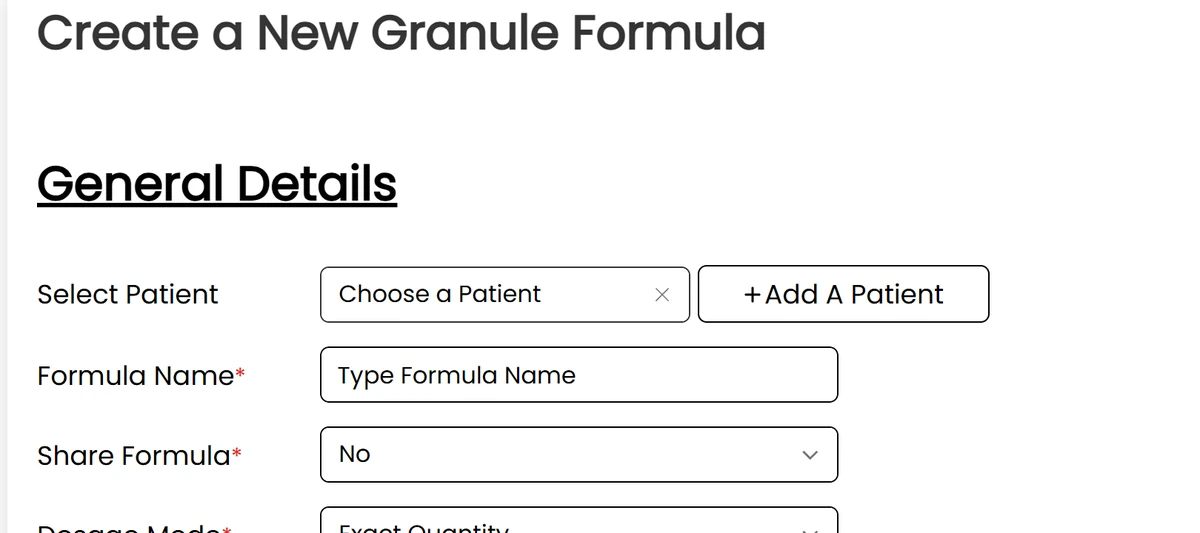
Every formula starts here — patient, dosage mode and preparation type settled before a single herb is chosen.
Write one and print the label.
Start a free trial and see the two match.